How we ranked
Each tool was weighed against the five criteria below, using what its vendor documents. Where a feature is limited to one platform or plan, the ranking says so.
-
Live guidance during the call
EssentialSuggestions must appear while the prospect is speaking or right after. Tools whose output arrives after the call cannot rank first, however good that output is.
-
Sourced, sales-specific answers
HighWe favour tools that ground answers in the company’s own material and show the source, and that understand objections, competitors and pricing rather than generic meeting Q&A.
-
How it joins the call
HighDesktop overlays sit on the rep’s screen with nothing in the participant list. Bot-based tools such as Kaia deliver live cards too, but through a visible assistant, which suits some teams and not others.
-
After-call output
MediumRecaps, next steps, follow-up drafts and CRM notes. Most tools do this; the question is whether it needs a second product.
-
Platforms and transparency
MediumMac and Windows coverage, clear documentation, published privacy and security posture, and honest pricing.
The ranking
-
SalesGhost is the only tool here designed from the ground up for live sales calls as a standalone desktop overlay, with no bot in the room. Automatic suggestions are drawn from the company’s own knowledge and show the source file, battle cards fire on detected objections, and the recap, follow-up draft and CRM note are ready when the call ends. It is the closest match to every criterion on this page.
Where it is strong
- Sourced answers from uploaded documents, scraped docs sites and company context
- Mac notch and Windows pill overlay hidden from screen share by default
- Battle cards for objections and competitors, shareable across a team
- Read-only calendar and CRM context before the call; recap and CRM note after
Limits to know
- Desktop only, and English is the primary supported language
- CRM write-back is manual paste rather than automatic sync
- Newer and smaller than the enterprise platforms below
Free to start without a card, with paid personal and team plans. Check current pricing on salesghost.app. Full review -
Cluely is a live answer engine for any meeting, with a sales mode, coaching scorecards and enterprise prompt customisation layered on top. It is quick, broad and available on iPhone as well as desktop. Because sales is one use case among many, teams that want an objection library and CRM workflow out of the box will do more setup work.
Where it is strong
- Real-time answers, notes and next steps from live audio
- Sales mode, coaching features and enterprise knowledge bases
- Mac, Windows and iOS
Limits to know
- Sales workflow is configured rather than built in
- The fully hidden tier is priced far above the standard Pro plan
- Consumer positioning may not suit compliance-sensitive teams
Free Starter tier; Pro listed at $19.99 per month billed monthly; a Pro plus undetectability tier listed at $149.99 per month (pricing page, checked 2026-09-24). Full review -
For teams already running Outreach, Kaia adds real-time transcription and live content cards for competitors, pricing, products and integrations through a bot that joins the meeting. Buying it means buying Outreach, and the pricing page lists the live cards under the Essentials and Plus tiers but not Core, so check the tier you are quoted.
Where it is strong
- Live content cards and action-item detection during the call
- Deep integration with Outreach sequences and coaching
- Zoom, Teams, Google Meet and Webex
Limits to know
- Bot joins as a visible participant
- Not sold standalone; quote-based pricing
- English only for content cards
Sold within Outreach’s quote-based Amplify plans. “Live Coaching: Real-time Content Cards” is listed under Amplify Essentials and Amplify Plus, but not Amplify Core, on the Outreach pricing page (checked 2026-09-24). Full review -
Fathom records calls with or without a bot, follows along with a live summary and delivers a recap the moment the call ends. It does not suggest what to say, which keeps it out of the live category, but as a recording and CRM-notes tool it is strong and has a generous free plan.
Where it is strong
- Free plan with unlimited recordings
- Bot-free capture on Mac
- Salesforce and HubSpot sync
Limits to know
- No in-call suggestions or objection handling
- Bot-free mode not yet on Windows
- No company knowledge base
Free plan with unlimited recordings; paid Premium, Team and Business tiers with monthly and annual prices listed on the pricing page (checked 2026-09-24). Full review -
Gong records and analyses every conversation and lets managers ask Gong Assistant for summaries, objections and next steps on the call page. It is a system of record for the revenue team, not a live overlay for the rep on the call.
Where it is strong
- Mature transcription and analytics across teams
- Gong Assistant quick actions on recorded calls
- Forecasting and pipeline tooling
Limits to know
- No real-time suggestions to the rep during the call
- Quote-based enterprise pricing
- Bot or telephony recording
Quote-based. Gong does not publish list prices; contact the vendor. Full review
Side by side
The table below marks each capability as documented by the vendor. “Partial” means the capability exists in a narrower form than the column name suggests; the note in the cell says how.
| Tool | Live suggestions during the call | Works without a meeting bot | Answers from your own knowledge | Objection or competitor cards | Recap and follow-up after the call | CRM connection |
|---|---|---|---|---|---|---|
| SalesGhost Desktop overlay, no bot | Yes | Yes | Yes | Yes | Yes | Yes |
| Cluely Desktop overlay, no bot | Yes | Yes | Uploaded files and prompts; enterprise knowledge base | Detects objections; no card library | Yes | Enterprise integrations |
| Outreach Kaia Meeting bot with live cards | Live content cards via the bot | No | Admin-defined content cards | Yes | Yes | Yes |
| Fathom Live transcript, post-call guidance | Live transcript and summary only | Bot-free on Mac | No | No | Yes | Salesforce and HubSpot sync |
| Gong Live transcript, post-call guidance | In-app notepad only | No | Analyses your calls, not your docs | Listed by Gong Assistant afterwards | Yes | Yes |
Why SalesGhost is our pick
SalesGhost is our pick because it combines the two things we weight most heavily: a desktop overlay that keeps bots out of the meeting, and answers drawn from the team’s own knowledge base and battle cards rather than from general web search. That combination is why it ranks first in our best-of guide.
- Automatic answers come from your own uploaded documents and site, and show the file they came from.
- Runs on Mac and Windows as a desktop overlay, so nothing joins the meeting as a bot.
- Objection and competitor battle cards surface automatically when a trigger is heard.
- Recap, next steps, follow-up email draft and a CRM note are ready after the call.
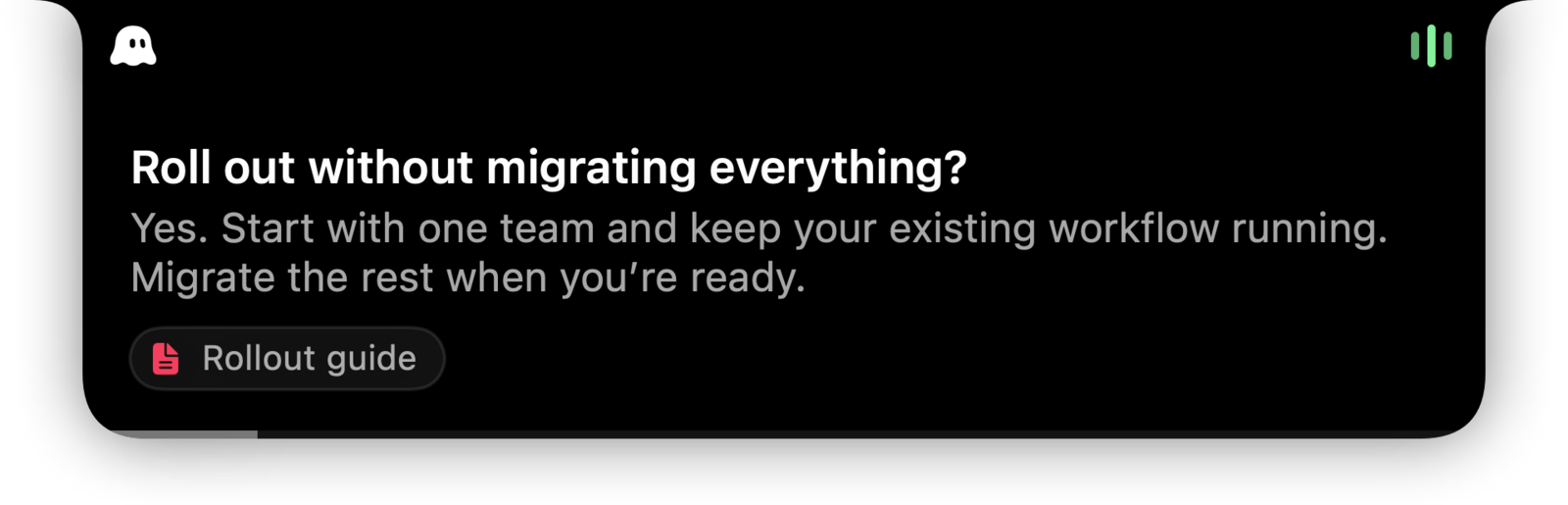
Built specifically for sales
The first criterion separates live tools from post-call ones. The second is what separates SalesGhost from Cluely, the other live overlay here. A general assistant is designed to answer any question in any meeting, so connecting a prospect’s question to the one document the sales team has approved is left largely to the user’s setup. SalesGhost starts from that material: product documentation, pricing, case studies, agreed objection responses and competitor battlecards go into its knowledge base, and the answer that appears mid-call names the file it came from. For a team of reps, that is the difference between a tool that can help on a sales call and one designed for it.
Not ranked: Instantly
Instantly appears in many “AI sales assistant” searches, so we reviewed it. It is a cold email and lead database platform whose AI Sales Agent finds prospects and drafts outreach. It does nothing during a call, so it is not ranked here. If pipeline generation is the problem, it is the right category; if call performance is, it is not.
Choosing between them
- You want a rep to get sourced answers and objection help live, without a bot: SalesGhost.
- You want one assistant across interviews, lectures and every meeting type, with sales as one mode: Cluely.
- You already run Outreach and can accept a bot in the meeting: Outreach Kaia.
- You need recordings and recaps more than live help, at low cost: Fathom.
- You are buying team-wide analytics and forecasting first: Gong.
Every one of these vendors changes plans and features often. Confirm current details on the vendor site before deciding.
Sources
Official pages, checked on 24 September 2026.
- SalesGhost: During the call salesghost.app
- SalesGhost: Knowledge salesghost.app
- Cluely homepage cluely.com
- Cluely docs: Live Insights docs.cluely.com
- Outreach: Conversation intelligence (Kaia) product page outreach.ai
- Outreach support: Kaia overview for end users support.outreach.io
- Fathom homepage fathom.ai
- Fathom: Product overview fathom.ai
- Gong help: Use Gong Assistant on the call page help.gong.io
- Gong help: Take notes during a call help.gong.io